Whether a course is a success depends a lot on how it starts off. Twenty minutes with Skimle Ask allowed me to design a survey, send it, and analyse the results. An additional ten minutes with PowerPoint allowed me to set the stage for the two days with students.
There is a peculiar anxiety that comes with teaching a new cohort. You have a syllabus, slides, and a rough sense of the terrain, but you know nothing about the people sitting across from you. What do they already know? What are they hoping to get out of this? And perhaps most pressingly: what do they think about AI?
That last question felt especially important. I was about to open an MBA course that touches on strategy, innovation, and the rapidly shifting landscape of technology. If half the room was already experimenting with AI tools daily and the other half was sceptical or overwhelmed, that gap would shape every discussion we had. I needed to find out before day one.
So I decided to run a quick experiment with Skimle Ask. Oh and by the way, you can also watch the related video on YouTube.
Designing the interview: 10 minutes
Skimle Ask lets you design a survey or interview that participants can complete at their own pace, either on their desktop or on mobile, with keyboard or with voice. In traditional surveys, open-ended questions cannot branch, but thanks to Skimle's analysis capabilities, we can ask meaningful follow-up questions that build on informants' initial answers.
Asking open questions also makes sense if you are actually able to analyse them. This was a small course and I did not expect more than twenty answers, but Skimle can create high-quality thematic analysis from even hundreds of answers in a few minutes.
I told the topic of the interview to Skimle Ask, and it immediately created four questions. I wanted to adjust them a bit and I tweaked the welcome message to the participants to be more personal. Ten minutes later, I had a five-question interview ready.
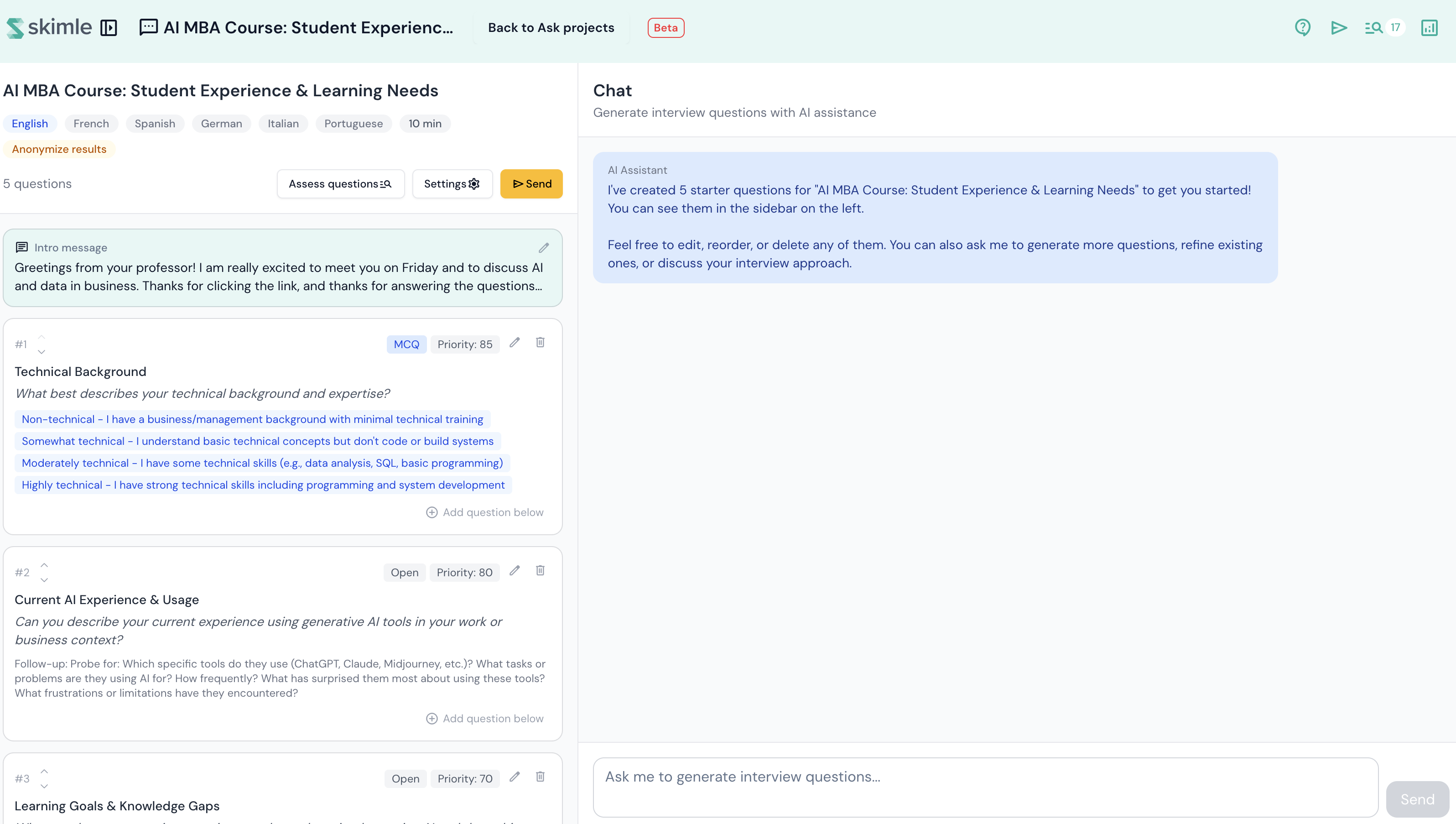
Some informants are more willing to answer interview questions than others. In this case, I adjusted all open questions to ask at most one follow-up question, so that the informants would not get fatigued and they would make it to the end. Everyone did! I had the course administrator include the survey link in the welcome email to the course, along with a plea to click it.
Gathering the data
The ask was simple: "Before our first session, please take 10 minutes to complete this short survey/interview. This will help me design the course to meet your needs."
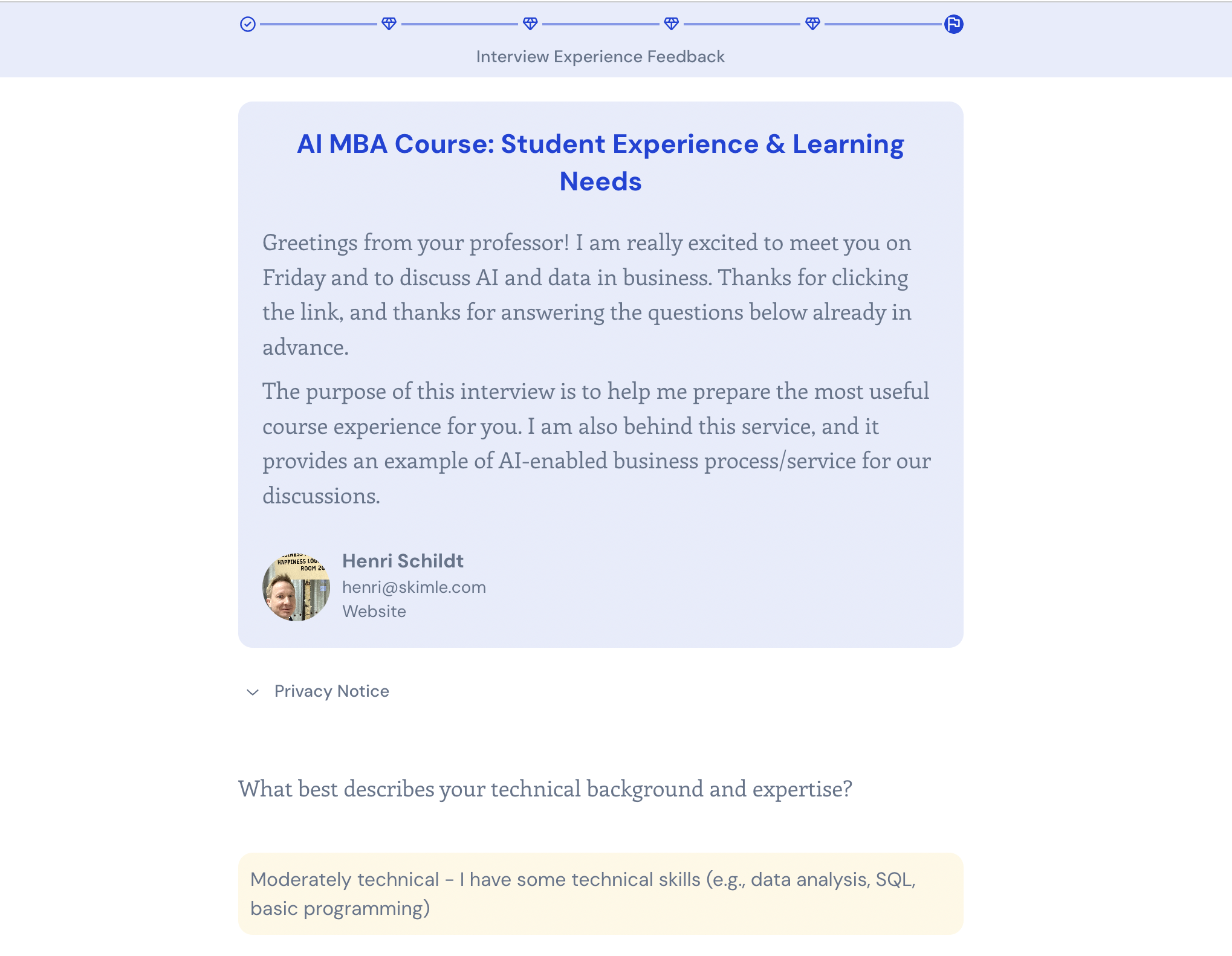
Response rates for surveys can be hit or miss, and it really depends on the motivation people have to answer. If you are running Skimle Ask interviews with your employees or customers, you should make sure that you analyse and communicate the results. In this case, I was lucky to get over 70% response rate, probably thanks to both the innate motivation of students to influence course contents and the novelty of the AI tool.
Running the analysis
With responses in, I clicked "Analyse". Skimle Ask structures the answers based on the main open questions and records multiple-choice questions (MCQs) in the interview metadata. The solution picks out the direct quotes related to each question and organises them into thematic subcategories.
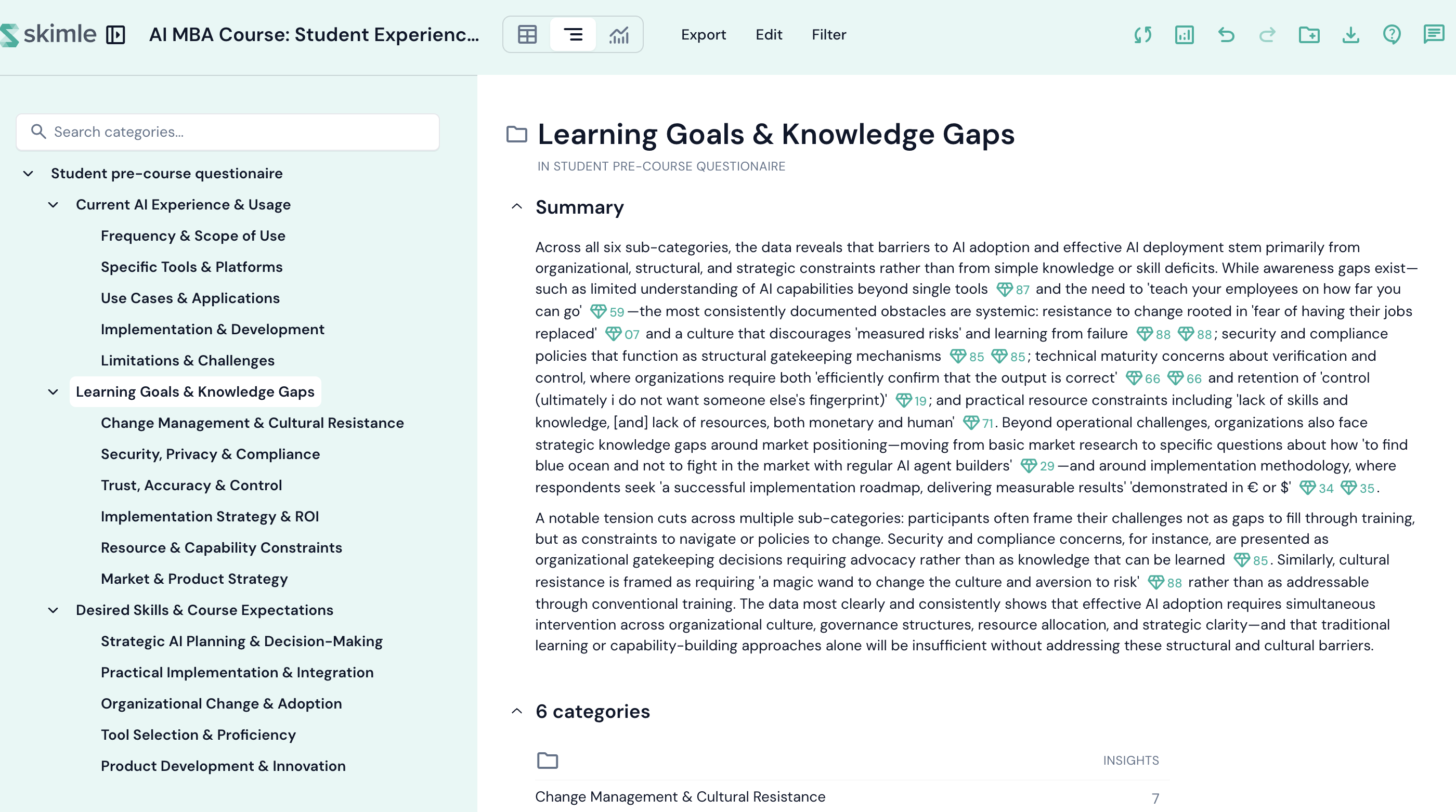
At this point, I quickly exported the results to PowerPoint because I wanted to show the key themes to the students. Skimle always verifies that the quotes are accurate, and the PowerPoint export has additional quotes in the slide notes, so you can simply work on your slides without having to go back and forth looking for quotes from your respondents.
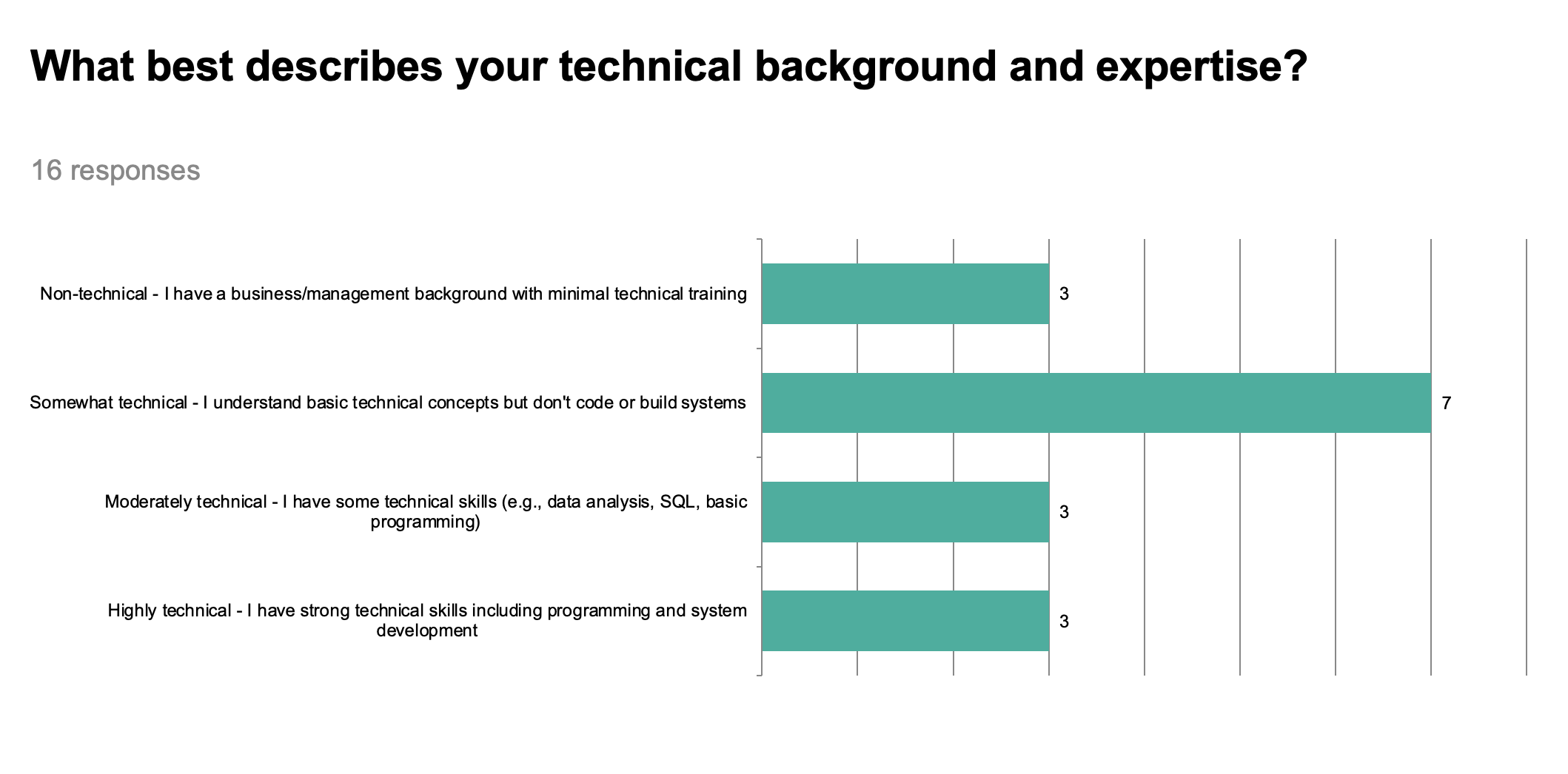
The results showed the diversity of technical expertise, something that course participants ought to be aware of. I leveraged the results to highlight the existing experiences with AI...
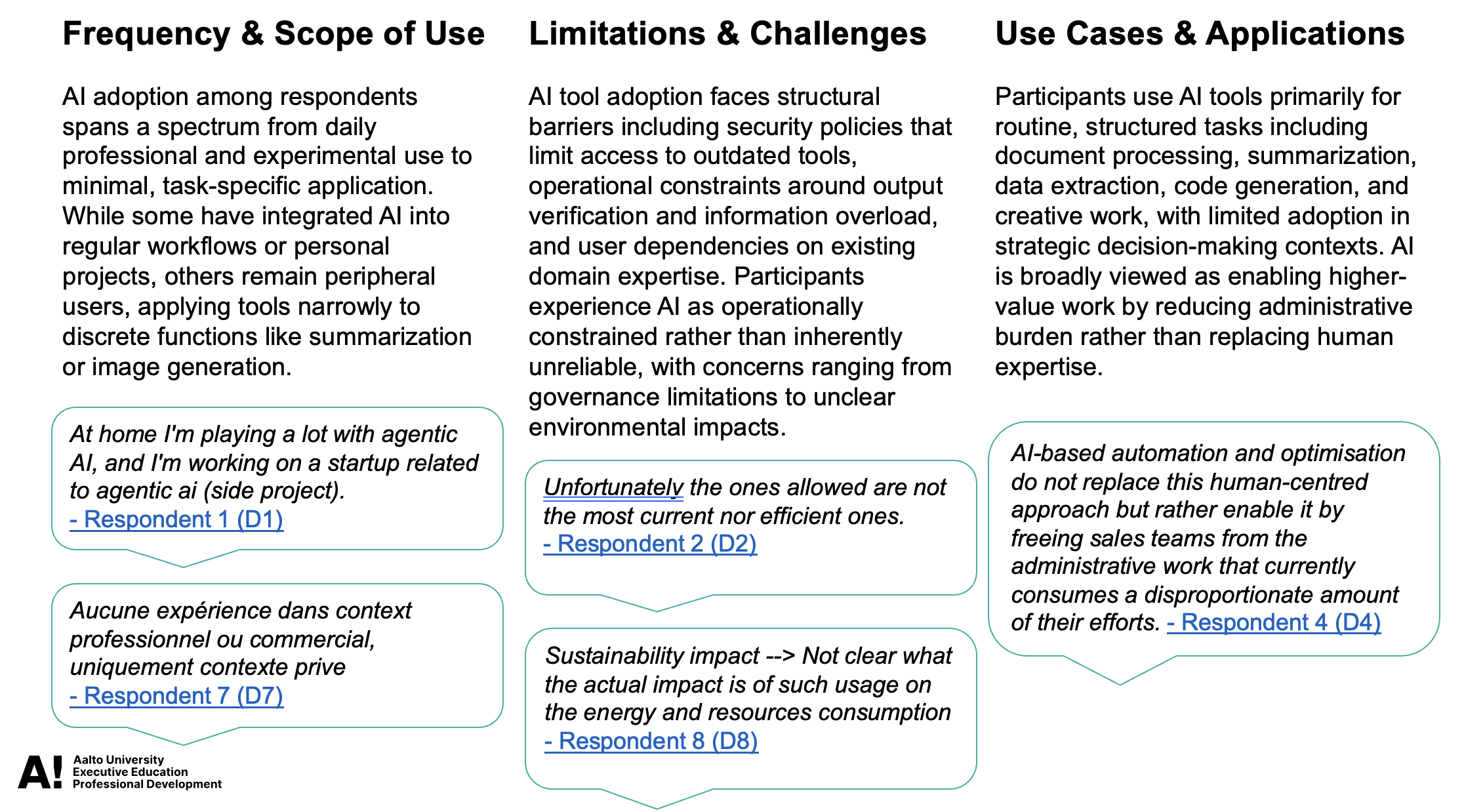
...and the various expectations participants had for the course.
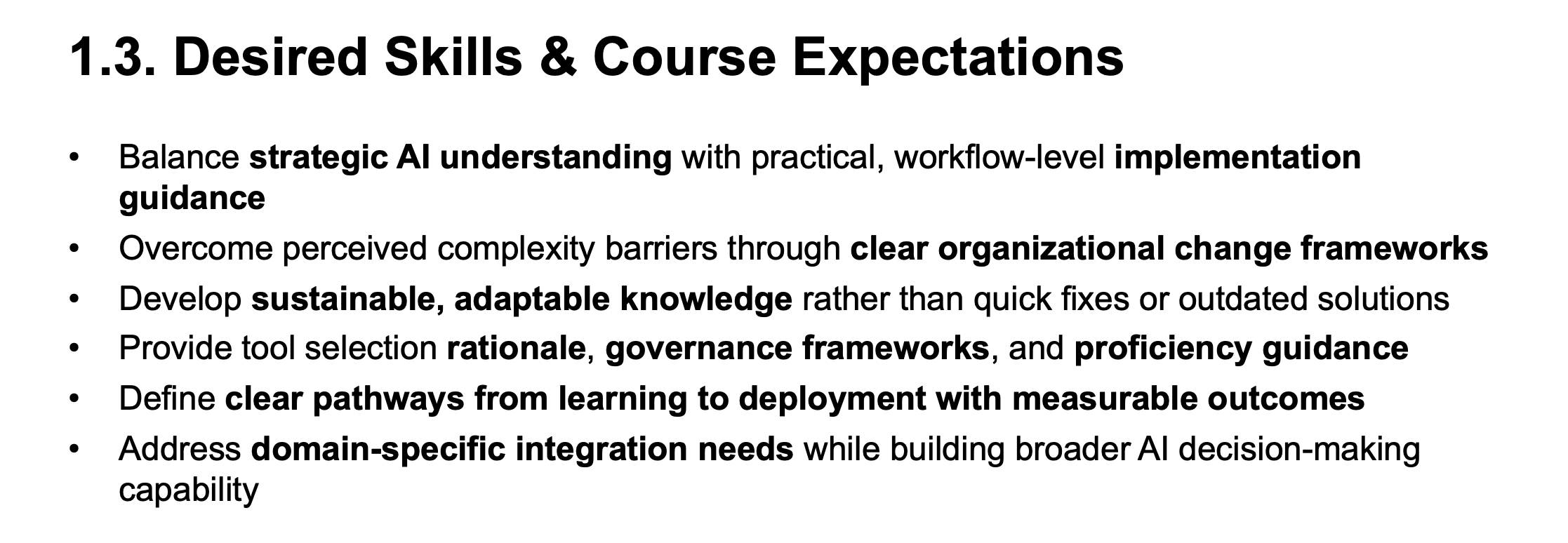
The final deck was eight slides. It took altogether half an hour to design the interview, analyse the results, and edit the result slides that I could show on the opening day.
Starting strong
After a fifteen-minute discussion around AI, I got the course started by showing the slides I had prepared.
The slides accomplished exactly what I wanted: the students saw where they stood and what the course would contain. I was able to link the contents of each session to the learning goals and challenges voiced by the participants. By showing the diversity of backgrounds and AI familiarity, I established that the course would span technical and non-technical topics. It also set up a short discussion at the tables.
Three things worked particularly well.
Breaking the ice. Starting with "here is what you told me" is arguably better than "here is what I want to tell you." Students felt that I cared about them, as I actually do!
Levelling expectations. The diversity of AI experience was visible, as well as the challenges people face. Everyone could see that there were others with similar experiences and backgrounds, but also others who were at a different stage of their AI journey.
Opening the AI conversation. Using the tool on a course about AI, the exercise itself became a case study. We discussed how AI can not only automate existing processes, but make new processes possible. Before AI, it was seldom practical to send open-ended surveys or conduct interviews of workshop participants unless your resourcing was at the level of McKinsey workshops for top management teams. With AI we can deliver a better experience for all participants.
Reflections
The whole process took around 30 minutes of my time: designing the interview, running the analysis, exporting the slideshow, and editing through the slides. That is a remarkably small investment for the insight and interactions it generated.
A few caveats are worth noting. The analysis works best when students engage thoughtfully, and some responses were brief. A short note in the welcome email explaining why the interview matters probably helped. Not everything participants wrote was worthwhile. Instead of editing the analysis in Skimle, I ended up deleting some bland thematic categories and related bullet points in PowerPoint.
Although I do less and less teaching these days, I will be using Skimle Ask for all seminars and workshops I run. I believe that this type of pre-workshop research is a valuable tool for everyone. Perhaps most importantly, doing a proper analysis (more quickly people assume!) helps send a clear signal that I care about the participants and I want to customise my content to them.
Want to try pre-workshop surveys with AI-powered follow-ups? Try Skimle for free and experience how Skimle Ask turns open-ended responses into structured insight in minutes.
Want to learn more? Read our guides on gathering rich data with AI interviews and how to analyse interview transcripts.
About the author
Henri Schildt is a Professor of Strategy at Aalto University School of Business and co-founder of Skimle. He has published more than a dozen peer-reviewed articles using qualitative methods, including work in Academy of Management Journal, Organisation Science, and Strategic Management Journal. His research focuses on organisational strategy, innovation, and qualitative methodology. Google Scholar profile