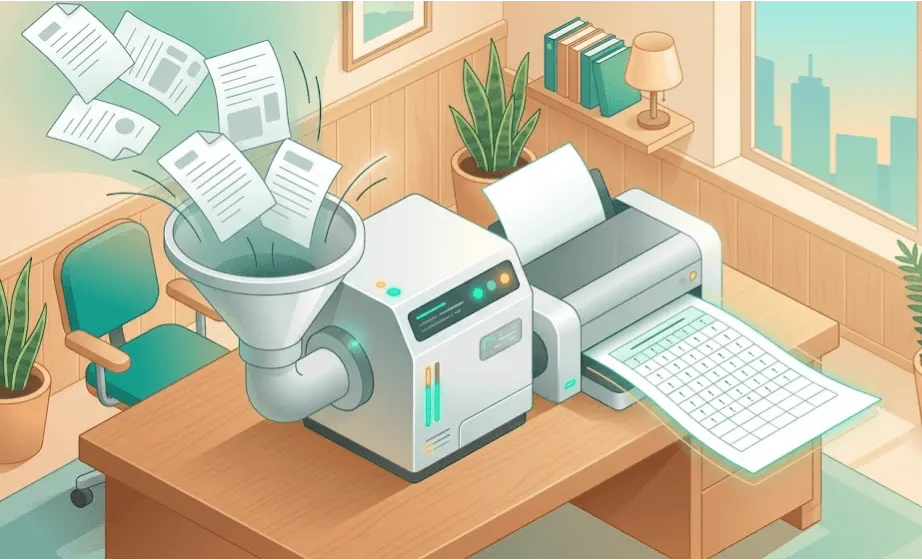
Most product teams record their customer calls. The transcript drops into a folder, someone skims it in the 20 minutes after the meeting, and then it disappears. Multiply that by 80 calls over a quarter and you have a library of insight that nobody is actually using. The teams that consistently make better product decisions are the ones who treat those transcripts not as meeting notes but as structured qualitative data, the same raw material that academic researchers spend months analysing by hand. The difference is that you now have tools to do it faster, and a practical workflow to make it repeatable.
This guide is for product managers, UX researchers, customer success teams, and anyone running customer discovery who records calls via Zoom, Microsoft Teams, Fireflies, Otter, Grain, or similar tools. If you have transcripts accumulating and you are not sure how to make systematic sense of them, this is where to start.
Why call transcripts are an underused asset
The shift to recorded calls has happened fast. A few years ago, recording a customer call required deliberate setup. Today it is the default, and tools like Fireflies and Grain even join your meetings automatically. The transcript is there before you have written up your notes.
The problem is not access to data. It is what happens next. In most organisations, the transcript serves one purpose: letting someone who missed the call catch up. The analytical potential, finding patterns across dozens of conversations, understanding how sentiment shifts by customer segment, or tracking how a particular concern has evolved over six months, goes untapped.
There are a few structural reasons for this. Transcripts are long. A 45-minute customer call typically generates 6,000 to 8,000 words of text. Reading ten of those in a row is exhausting, and finding the signal across them requires holding a lot in your head at once. Without a system, most teams fall back on anecdote: the call from last Tuesday, the customer who said something memorable, the quote that got screenshot and posted in Slack.
Systematic call transcript analysis changes this. It means reading across your full call library with the same rigour you would bring to any qualitative research project, and it produces answers rather than impressions.
Recording tools and what to expect from them
Before you can analyse transcripts, you need transcripts worth analysing. The quality varies considerably depending on how the recording is made.
Zoom and Microsoft Teams both generate transcripts natively. Zoom's transcription is reasonably accurate for clear audio with one or two speakers; Teams is similar and has improved significantly. Both struggle with heavy accents, fast speech, technical jargon, and crosstalk. Speaker attribution is often imperfect, especially when multiple people talk over each other.
Dedicated transcription tools like Fireflies, Otter, Grain, and Fathom generally produce cleaner results than the native platform transcripts, and they add features that matter for analysis: speaker labels, timestamps, the ability to highlight and tag clips during or after the call, and in some cases automated summaries. If you are running a serious call programme, these tools are worth the investment.
Post-call transcription via Whisper or similar is an option if you are working from recorded audio. OpenAI's Whisper model is free, accurate, and handles a wide range of accents better than most commercial services. If you have a backlog of older recordings, running them through Whisper is an efficient way to get transcripts in bulk.
Whatever tool you use, be realistic about transcript quality. Expect errors in proper nouns, product names, and technical terms. Expect occasional misattributed speakers. This matters because your analysis will only be as good as the underlying text: a systematic approach to interview recording and transcription will save you a lot of downstream pain.
Preparing transcripts for analysis
Raw transcripts from most tools need some work before they are ready for systematic analysis. This is not glamorous, but skipping it creates problems later.
Quick clean-up
For product names, company-specific terminology, and any terms that are consistently mis-transcribed, do a find-and-replace pass. It takes ten minutes and makes search and analysis far more reliable.
Structure long transcripts
Very long transcripts (calls over an hour, or calls with multiple distinct agenda items) benefit from rough section breaks. You do not need to be precise; just adding a line like "--- SECTION: product feedback ---" at natural transition points helps when you are navigating the document later and makes it easier to scope your analysis.
Anonymise if needed
If you are sharing transcripts across teams or uploading them to analysis tools, consider whether any personally identifiable information needs to be removed or pseudonymised. Customer names, company names, deal details, and contact information may all be sensitive depending on your context and jurisdiction. Skimle Anonymise handles this automatically, detecting and removing identifiers consistently across all files while maintaining an audit trail of every change.
Setting up metadata: the step most teams skip
This is the most important section in the guide, and the one most teams skip entirely.
A transcript is a document. A transcript with metadata is a data point in a structured dataset. The difference determines whether you can answer questions like "what did enterprise customers in the retail sector say about onboarding friction in Q4?" or whether you are left searching through 80 files manually.
The metadata you attach to each call should reflect the questions your team most commonly wants to answer. A typical setup for a product team might include:
- Customer segment (enterprise, mid-market, SMB; or by industry vertical)
- Deal stage at time of call (prospect, trial, active customer, at-risk, churned)
- Call type (discovery, demo, onboarding, quarterly review, win/loss, support)
- Product area discussed (can be multi-select: onboarding, integrations, reporting, pricing)
- Date and interviewer
- Outcome (if relevant: deal progressed, churned, feedback captured)
You can store this metadata in a spreadsheet alongside the transcript files, in a dedicated research repository tool, or (if you are using an analysis platform) as structured fields attached to each document.
The principle is the same as in any qualitative research project: metadata variables let you slice and filter your data so that themes are not just themes but themes within specific segments, stages, or time periods. Without metadata, you have 80 transcripts. With metadata, you have a dataset you can interrogate.
Be consistent. Decide on your taxonomy before you start adding calls, write it down, and make sure everyone on your team uses the same values. "Enterprise" and "enterprise customer" are not the same thing when you are filtering a spreadsheet. This discipline pays off quickly once your library gets above 20 or 30 calls.
Thematic analysis across a call library
Once your transcripts are prepared and tagged with metadata, you can start doing real analysis. For call libraries, the most useful approach is thematic analysis: identifying recurring patterns across the full set of documents rather than summarising individual calls.
The goal is not to produce a summary of each call. You probably already have a CRM note or a meeting summary for that. The goal is to answer research questions across the library as a whole.
Define your research questions first
Before you open a single transcript, write down what you are trying to find out. "What are customers' biggest complaints?" is too vague. "What friction do enterprise customers encounter in the first 30 days?" is better. "How do customers in different segments describe the ROI of our product?" is a question you can actually answer with your data.
Good research questions shape everything else: which transcripts you include, what you are looking for when you read, and how you organise your findings. This is the same principle that applies to any interview analysis workflow, and it is easy to skip when you are working with a backlog of existing calls rather than a planned research project.
Code systematically, not impressionistically
Thematic analysis means reading through transcripts and tagging passages with codes that capture their meaning. You might code a passage as "pricing concern," "competitor mention," or "onboarding friction." As you accumulate codes across many transcripts, patterns emerge.
The key discipline is consistency. If you code a passage as "feature request" in one transcript, you need to code similar passages the same way in all the others. This is what separates systematic analysis from reading a few transcripts and trusting your memory.
For teams doing this at scale, AI-assisted theme identification can speed up initial coding considerably, but it works best when you are in control of the codebook and can verify the AI's interpretations against the source text. Tools that show you exactly which passages drove which themes, with full traceability, give you the confidence that the analysis reflects what customers actually said rather than a plausible summary of it. Transparency about how AI interprets your data is not a nice-to-have; it is what makes the findings credible.
Quantify where it helps
Qualitative data does not have to be purely interpretive. Once you have coded your transcript library, you can count: how many calls mentioned pricing concerns? In what proportion of enterprise calls did onboarding friction come up? Did that proportion change between Q3 and Q4?
These numbers are useful for making the case internally, for prioritising product work, and for tracking change over time. They are not statistically significant in the way survey data might be, and you should not overstate them. But they are more rigorous than "we hear a lot about pricing" or "several customers mentioned onboarding."
Skimle's interview analysis feature is built around exactly this kind of structured analysis: thematic coding with metadata filtering, so you can slice findings by segment, call type, or any other variable you have defined.
What good analysis looks like in practice
Let's make this concrete. Suppose you are a product team at a B2B SaaS company and you have 60 customer call transcripts from the past quarter: a mix of discovery calls, onboarding sessions, and quarterly reviews, across enterprise and mid-market customers.
With metadata tagging, you can scope your analysis. You want to understand enterprise onboarding friction specifically, so you filter to the 18 calls tagged as "enterprise" and "onboarding." You read those 18 transcripts with your research question in mind, coding passages as you go.
After the first ten calls, patterns start to appear. Customers mention the same integration problems. There is a recurring complaint about the initial data import. A few customers describe confusion about a specific step in the setup flow. You code all of these consistently and track how often each theme appears.
By the end, you have a ranked list of friction points, grounded in specific quotes from specific calls, with enough frequency data to say "this came up in 12 of 18 enterprise onboarding calls." That is a different level of evidence than "a couple of customers mentioned it."
You can then do the same analysis for mid-market customers and compare. You might find that the integration problems are specific to enterprise (because they are connecting to legacy systems your mid-market customers do not use), while the data import confusion affects everyone. That tells you something different about where to invest.
This is what qualitative data analysis at scale looks like when it works. The effort is in the setup: consistent metadata, disciplined coding, clear research questions. The payoff is findings you can act on and defend.
Building a call analysis practice, not just a one-off project
One-off analysis is useful. A sustained practice is more useful.
The teams that get the most value from their call libraries treat analysis as a recurring activity rather than something you do before a roadmap planning session. That means a few practical things.
Add metadata as calls happen, not retrospectively. It takes 30 seconds to tag a call after you hang up. It takes much longer to go back through 60 calls trying to remember which segment each customer was in.
Agree on a codebook and keep it somewhere everyone can find it. Even a simple shared document listing your main themes and what they mean prevents drift over time. If one person codes "integration request" and another codes "API question" for the same type of passage, your cumulative analysis will be messy.
Review and update your codebook as new themes emerge. Customer concerns evolve, your product changes, and new topics appear. Treat the codebook as a living document.
Run analysis on a cadence that matches your planning cycle. If you do quarterly planning, do a call library analysis each quarter. If you are in a fast-moving discovery phase, do it monthly. The point is regularity, so that decisions are informed by your most current data.
For teams working across languages or with international customer bases, multi-language transcript analysis adds a layer of complexity but is entirely tractable with the right tools. The metadata setup and coding approach are the same; you just need analysis infrastructure that handles multiple languages.
Integrating with your existing workflow
Most teams already have some combination of CRM, Notion, Confluence, Jira, and a meeting recording tool. Call transcript analysis does not have to replace any of that; it sits alongside it.
The typical workflow looks like this: calls are recorded and transcribed automatically, transcripts are imported into an analysis environment with metadata attached, analysis runs at regular intervals or on demand, and findings are exported or summarised into the formats your team already uses for planning. Skimle's import and export workflows are designed for exactly this kind of integration with existing tools. For teams exploring more advanced AI integrations, agentic chat and MCP shows how Skimle's structured call analysis can connect to other AI tools in your workflow.
If your team does any manual coding or uses specialist qualitative analysis tools, combining AI-assisted analysis with manual workflows is well-supported. You do not have to choose between speed and depth.
How many transcripts do you need?
This is one of the most common questions in qualitative research, and the honest answer is: it depends on how much variation you expect in your data and how precise your conclusions need to be. Our guide to qualitative research sample size covers this in detail, but the rough rule for call libraries is that patterns become visible around 10-15 interviews for a single, relatively homogeneous segment. If you are comparing across multiple segments or looking for rare themes, you need more.
What matters most is that your sample is not accidentally biased. If your 60 calls are all with customers who renewed, you are not hearing from churned customers. If all your discovery calls were run by one sales rep, you are seeing that rep's style as much as customer concerns. This is not a reason to avoid analysis; it is a reason to think about what your call library actually represents and what questions it can and cannot answer.
Ready to do more with your call library?
If you have transcripts accumulating and want a structured way to analyse them, Skimle provides a purpose-built environment for qualitative analysis: import your transcripts, attach metadata, run thematic analysis, and filter findings by any variable you have defined. Full traceability from every theme back to the source passages. No black boxes.
Try Skimle for free and see how systematic analysis changes what you can learn from calls you are already having.
Related reading: How to analyse interview transcripts, practical end-to-end interview and transcription setup, a complete guide to thematic analysis, and gathering rich data with AI interviews if you want to supplement your call library with structured qualitative research.
About the authors
Henri Schildt is a Professor of Strategy at Aalto University School of Business and co-founder of Skimle. He has published over a dozen peer-reviewed articles using qualitative methods, including work in Academy of Management Journal, Organization Science, and Strategic Management Journal. His research focuses on organisational strategy, innovation, and qualitative methodology. Google Scholar profile
Olli Salo is a former Partner at McKinsey & Company where he spent 18 years helping clients understand the markets and themselves, develop winning strategies and improve their operating models. He has done over 1000 client interviews and published over 10 articles on McKinsey.com and beyond. LinkedIn profile
Frequently asked questions
How do I improve transcript quality from Zoom or Teams recordings?
Start with the basics: ask participants to use headphones rather than laptop speakers, make sure only one person speaks at a time, and record in a quiet environment. After the meeting, do a quick pass to fix any consistently mis-transcribed terms (product names, company names, technical vocabulary) using find-and-replace. If quality is persistently poor, consider running your recordings through a dedicated transcription service like Otter or Fireflies, or through OpenAI's Whisper model, which handles a wider range of accents and speaking styles than most native platform transcribers.
How do I set up metadata for my call library if I am starting from scratch?
Start by listing the three to five questions your team most often asks about customer calls. For most product and research teams, that includes something about customer segment, call type, and the product area being discussed. Map those questions to specific metadata fields with a fixed vocabulary (not free text). Write down the taxonomy in a shared document, brief everyone who records calls, and add tags immediately after each call while the context is fresh. Retroactively tagging an existing library is possible but time-consuming, so establishing the habit early saves a lot of work later.
How do I analyse transcripts from calls across different languages?
The core workflow is the same: prepare transcripts, attach metadata, code thematically. The practical challenge is ensuring your analysis tool handles the languages in your dataset. If you are using AI-assisted analysis, check that the model you are working with supports your languages adequately, as performance can vary significantly between major languages (English, French, German, Spanish) and less-resourced ones. Skimle supports multi-language analysis natively, so you can work across languages within the same project without needing to translate first.
How do I know when I have analysed enough transcripts to draw conclusions?
You are looking for what researchers call saturation: the point at which new transcripts stop introducing new themes and instead confirm what you are already seeing. In practice, this often happens around 10-20 transcripts for a well-defined segment and research question, but it can take longer if you are working across diverse customer types. A useful rule of thumb is to keep going until five consecutive transcripts add nothing new to your thematic map. The qualitative research sample size guide goes into more detail on how to think about this for different research contexts.
How do I share findings from call transcript analysis with stakeholders who were not involved in the research?
The key is grounding. Stakeholders tend to push back on qualitative findings when they feel like interpretation rather than evidence. Showing the specific quotes that support each theme, noting how frequently each theme appeared, and being transparent about which calls were included and why makes findings much harder to dismiss. If you are presenting to a product or leadership team, lead with the research questions you set out to answer, show the themes with supporting quotes, and give frequency counts where you have them. Avoid cherry-picking memorable quotes at the expense of the overall pattern: one vivid quote is not the same as a finding that appeared in 15 of 20 calls.