Predefined Categories
Define the categories to extract, or pick from Skimle's suggestions, and let the analysis code your documents against them.
Predefined categories is the analysis mode you use when you want to decide what comes out of your data. You name the categories to extract, Skimle codes every document against them, and it then forms subcategories from what it found.
It covers both ends of the inductive-deductive range. Bring a coding frame you already have and the analysis is deductive. Start from Skimle's suggestions, or from one broad category, and let the subcategories emerge from the data, and the analysis is inductive. Same screen, same workflow.
Step 1: Choose your categories
There are two ways to fill the category list, and you can mix them:
- Add your own. Click Add your own category and name it. This is the route to take when you already know what you are looking for.
- Pick from the suggestions. Skimle reads your project and suggests categories drawn from the material itself. Click one to add it. This is the route to take when you want the data to lead.
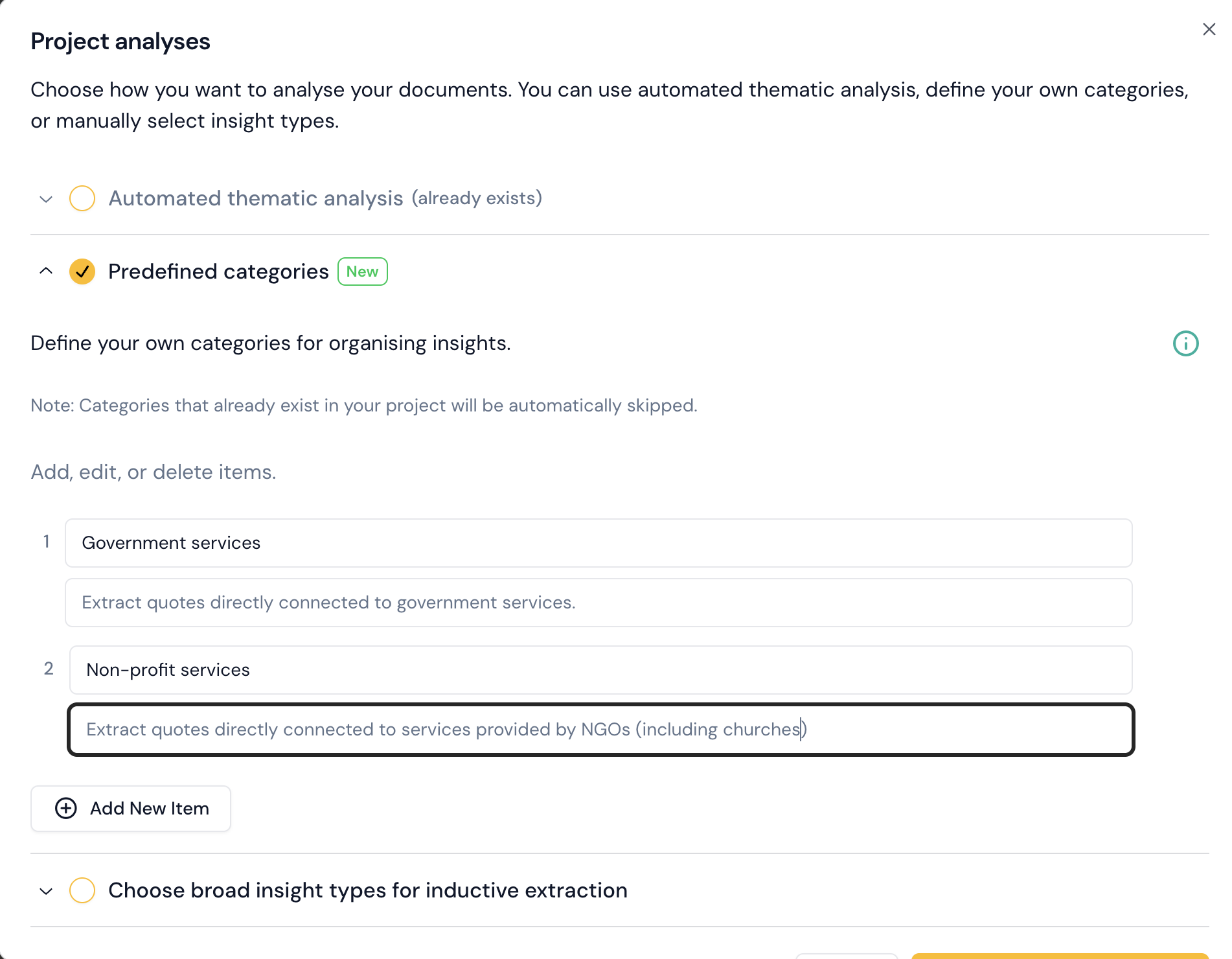
Each category can carry optional instructions:
- Instructions guide what the AI extracts for this category, letting you widen or narrow the content included.
- Categorisation instructions guide how insights are sorted into subcategories underneath it.
- Examples can be generated to preview the kind of insight the AI will find before you commit to a full run.
A category with no instructions works fine. Instructions matter most when a category name is ambiguous on its own, or when two categories could plausibly claim the same passage.
Step 2: Data extraction
Skimle goes through each of your documents and extracts insights matching your categories and their instructions. Every extracted quote is verified against the source document, so a quote that does not appear verbatim in the original never reaches your analysis.
Step 3: Subcategories form from the insights
Skimle examines the insights assigned to each category and forms subcategories, then moves each insight to the most appropriate one. This is where an inductive analysis gets its structure: you supply the broad focus, and the level below it comes from the data.
Note: Subcategories are only formed if the category has a meaningful number of insights assigned to it. A category that caught only a handful of insights stays flat, which is usually a signal that the category was too narrow or the material is not there.
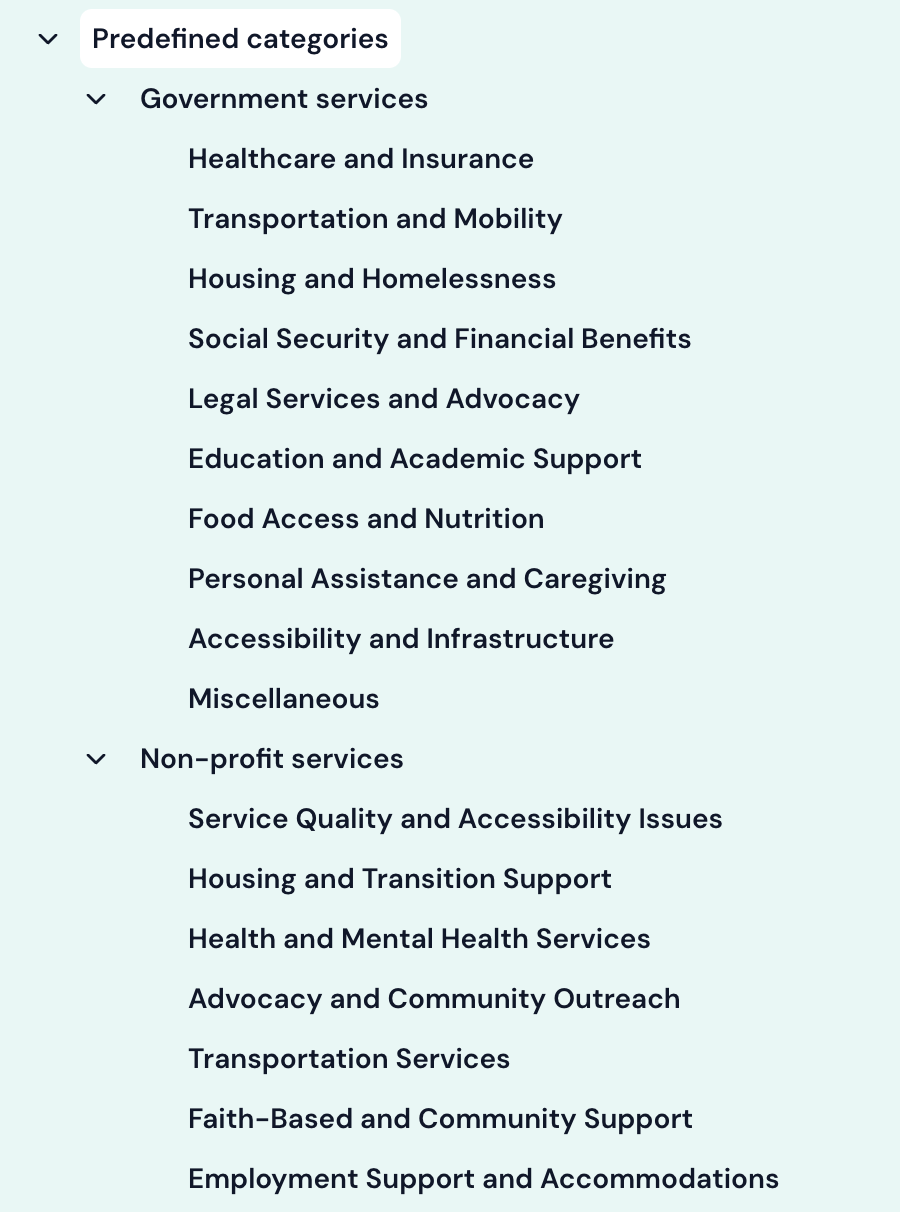
Step 4: Category summaries
Once the data is categorised, Skimle writes a summary for each category. Summaries are visible in the categories view, where you can also rename, merge, split and reorganise anything the analysis produced.
CSV file import
When you import a CSV file, the names of "content" columns are saved and used to create default categories for this analysis type. One more reason to set a clear and informative header row for your data before importing it. See supported file formats & CSV import for more on how CSV import works.
When to use it
Use predefined categories whenever you know what question the analysis should answer at the category level, whether the categories come from your own framework or from Skimle's suggestions. If your documents share a common structure and you want categories built from that structure with no input at all, automatic thematic analysis is quicker. If you want a written analytical answer to a research question rather than a coded category tree, use agentic analysis.