Word cloud
The words your documents use, and the people, places, organisations, and topics they name.
The word cloud shows what your documents talk about - the words themselves, or the people, places, organisations, and topics the analysis found. The bigger an item, the higher it ranks on the measure you pick. It lives in the Overview lens of Visualisations, and every item is clickable: the drill card shows exactly which documents are behind it.
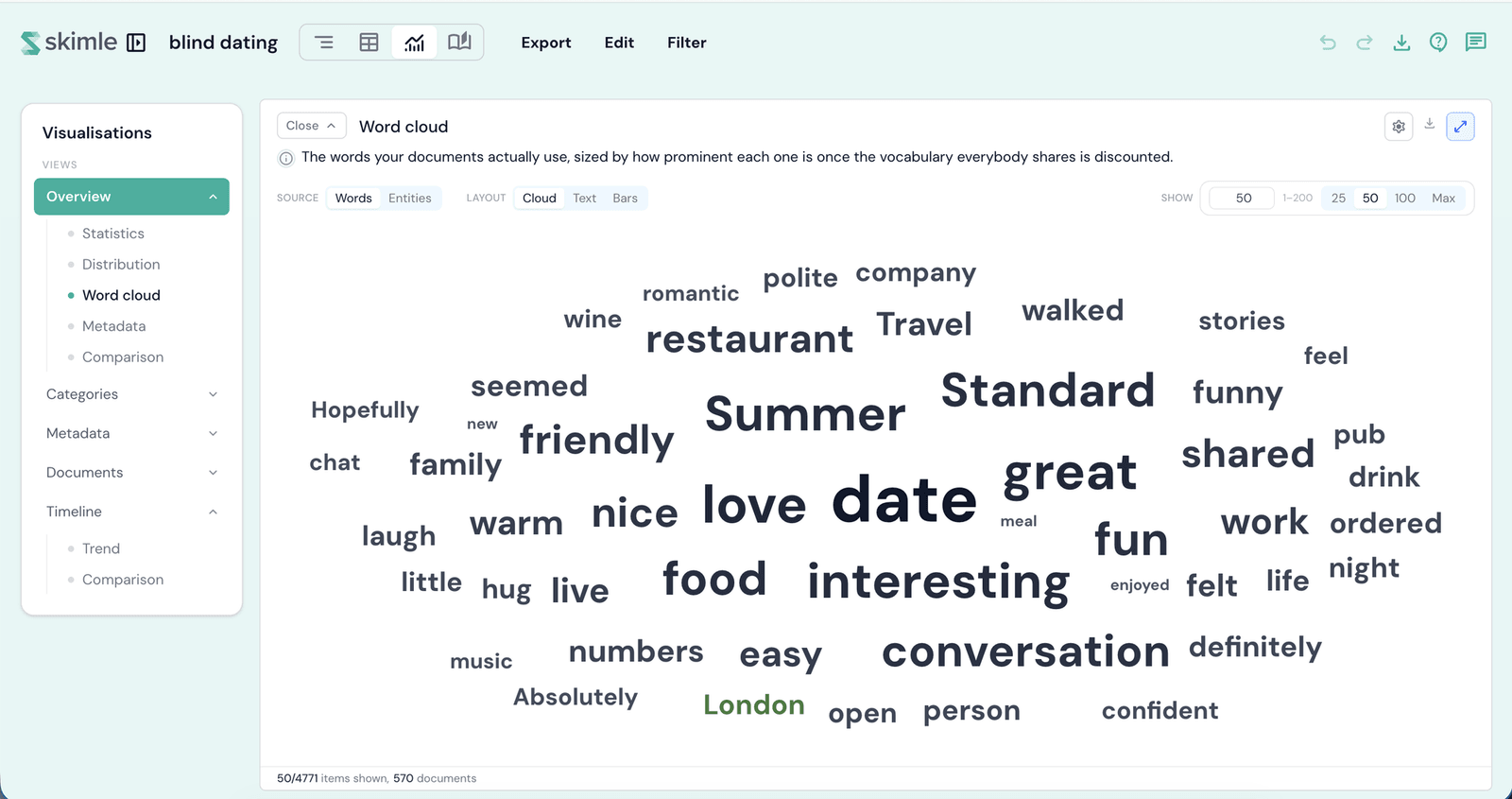
Words and Entities
The Source control switches between two very different pools:
- Words - your documents' own vocabulary. Words are stemmed, so talk, talking, and talked count once.
- Entities - the people, places, organisations, events, and topics the analysis found. Colour shows the entity type, and the chips under the toolbar switch types on and off.
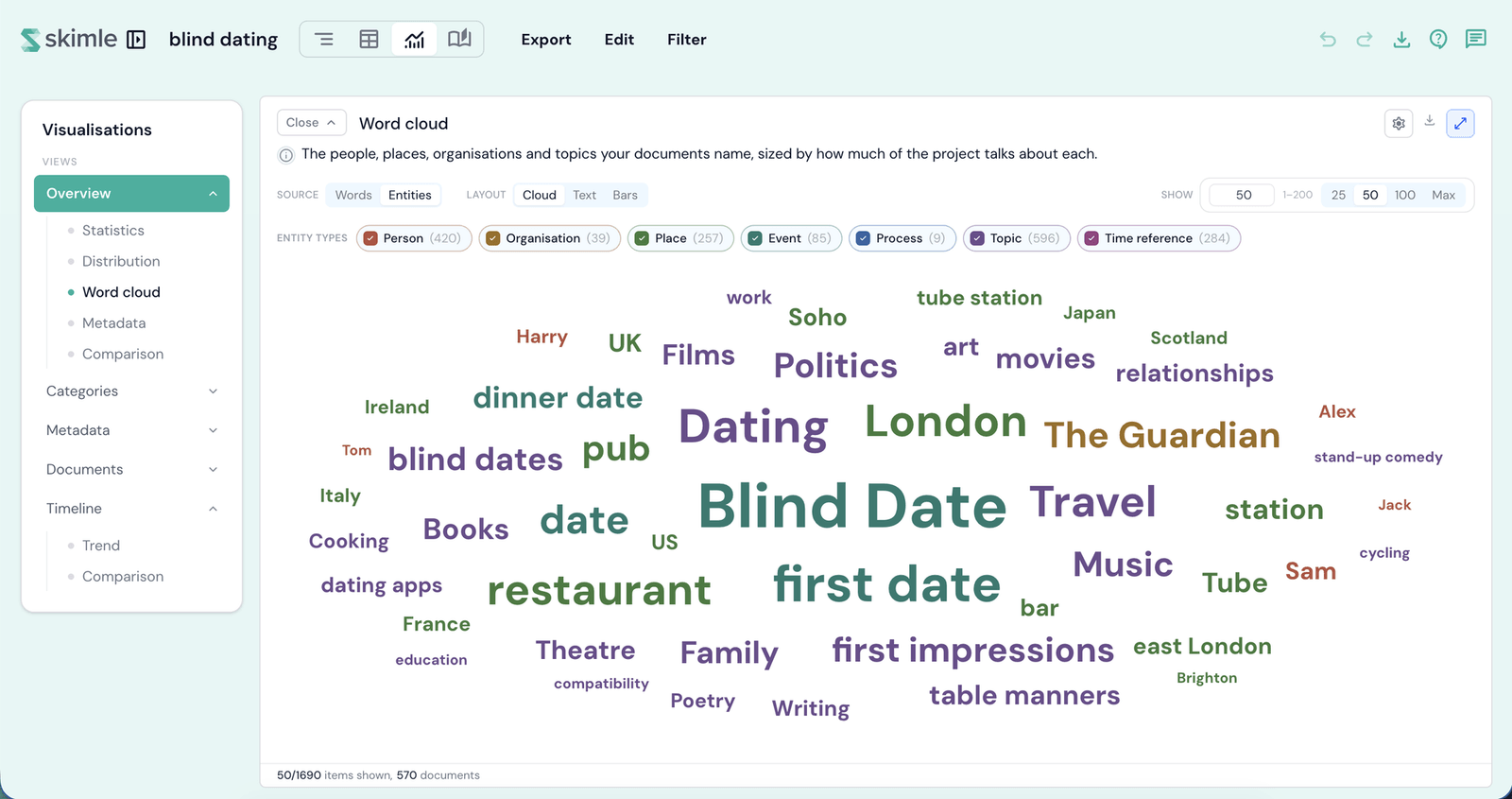
One honest caveat about Entities: they are found by a language model reading for meaning, not by matching text. That means a document can count towards an entity without ever writing its name - and it means the odd wrong one slips through, such as a job title read as a person, or two spellings of one name left apart. Click an entity to see the documents behind it and judge for yourself; the drill card even separates documents that write the name from those that discuss it without naming it.
Layouts
- Cloud - the classic spiral. Anything that cannot be placed without overlapping is dropped, so the footer counts what was actually drawn.
- Text - a flowing block, biggest first.
- Bars - the same items as a ranked bar chart, with exact counts.
Show sets how many items to draw - type an exact number or take a preset. Each layout remembers its own.
Rank by
Behind the gear, Rank by chooses the measure that drives size and order:
- Mentions - the raw total: how many times it appears. Best for sheer volume, though one document repeating it can inflate this. Words only.
- Documents - how many documents it reaches. Best for telling a shared concern from one loud voice.
- Stands out - said a lot, but not everywhere. Something that appears in every document - an interview question, an email header - falls to near zero, so what is left is what is distinctive here.
Words open on Mentions; Entities open on Documents.
Min. mentions
Also behind the gear, a minimum floor hides the long tail: drag the slider from Any up to the highest count in the pool, or type an exact number. On Words it is Min. mentions; on Entities it is Min. documents.
Hide filler words
On Words, the Hide filler words switch hides everyday filler such as just, really, and think, plus header leftovers like Fri or GMT. In projects of 10 or more documents it also hides any word that appears in nearly every document, since a word that is everywhere separates nothing. Nothing is deleted - switch it off and every word returns. Entities are never filtered.
The drill card
Click any item to see which documents it appears in, with per-document counts, and open one directly. A good first experiment: on Words, set Rank by to Documents - what leaps to the top is usually your question sheet, not your participants.